Maximizing Your Design Workflow with the Spring Elements Icons Set, Cartoon Style
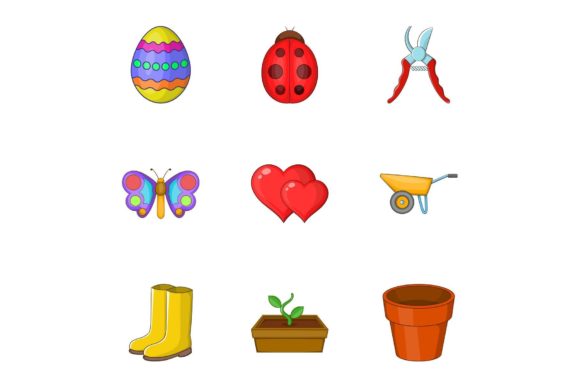
Bringing a fresh, vibrant energy to your digital projects often starts with the right visual assets. The Spring Elements Icons Set, Cartoon Style offers a delightful collection of nine vector icons designed specifically to capture the whimsy and renewal of the season. Whether you are a seasoned graphic designer, a small business owner updating your website, or a blogger looking to spruce up your content, these illustrations provide an immediate boost in aesthetic appeal. However, simply downloading a pack of cute graphics is not enough to guarantee professional results. Many creators overlook critical details regarding file formats, scalability, and integration, leading to frustrating workflow bottlenecks and subpar final products. By understanding the nuances of this specific cartoon illustration set, you can avoid common pitfalls and ensure your spring-themed campaigns look polished and purposeful.
Understanding the Value of Vector Versus Raster
One of the most frequent misunderstandings when acquiring assets like the Spring Elements Icons Set involves the difference between the available formats. This particular collection comes in a robust array of options: JPG, EPS, AI, PSD, and PNG. While it might be tempting to grab the JPG or PNG files for quick use because they open in any viewer, relying solely on these raster formats for web design or print materials is a strategic error. Raster images are made of pixels; when you enlarge them beyond their original dimensions, they become blurry and pixelated. This is especially detrimental for a cartoon style that relies on clean, crisp lines to maintain its charm.
The true power of this set lies in the AI and EPS files. These are vector formats, meaning the images are defined by mathematical paths rather than fixed pixels. You can scale a flower icon from the size of a favicon to a billboard without losing a shred of quality. If you ignore the vector files and stick to JPGs, you limit your future flexibility. Imagine needing to adapt your spring banner for a high-resolution display six months from now; if you only have low-resolution raster files, you will be forced to repurchase the asset or settle for a blurry mess. Always prioritize the AI or EPS files for your master designs, using PNGs only for final web export where transparency is needed but editing is not.
The Trap of Inconsistent Styling
Another area where designers and marketers often stumble is mixing incompatible visual styles. The Cartoon Style of this spring elements set is distinct—it likely features bold outlines, flat or semi-flat colors, and a playful proportioning of objects like rain boots, umbrellas, and blooming flowers. A common mistake is trying to force these icons into a corporate, ultra-realistic layout or pairing them with photorealistic stock photography without a unifying theme. This creates visual dissonance that confuses the viewer and dilutes your brand message.
To avoid this, consider the context of your application before you begin designing. If you are building a landing page for a gardening startup, these cartoon icons work beautifully as section dividers or feature highlights. However, you must ensure the rest of your typography and color palette complements the playful nature of the icons. Do not pair a whimsical, hand-drawn rain cloud icon with a severe, traditional serif font unless you are intentionally aiming for an ironic contrast that is executed with high skill. Instead, match the icons with rounded sans-serif typefaces and a pastel or bright color scheme that echoes the vibrancy of the illustrations. Consistency builds trust; when your visuals speak the same language, your audience perceives your brand as more cohesive and professional.
Navigating File Compatibility and Editing
Having access to PSD (Photoshop) and AI (Illustrator) files is a luxury, but only if you know how to utilize them correctly. A significant oversight occurs when users attempt to edit vector AI files directly in Photoshop without rasterizing them properly, or conversely, trying to edit layered PSD files in software that does not support layers. This leads to flattened images where individual elements cannot be moved or recolored.
For instance, perhaps you want to change the color of the pot in one of the plant icons to match your brand's specific shade of green. If you open the JPG, this is impossible. Even with the PNG, you are limited. You need to open the AI or EPS file in Adobe Illustrator or a compatible vector editor like Affinity Designer or Inkscape. Here, you can isolate the specific path of the pot and adjust the fill color instantly. If you do not have access to premium software, look for the SVG version if available, or use the high-resolution PNGs as a base, though this limits your editing capabilities. Before purchasing or downloading, always verify that your current software stack can actually open and manipulate the source files provided. There is no value in owning an editable file if you lack the tools to edit it.
Optimization for Web Performance
While the quality of the source file is paramount, how you deploy these icons on the web is equally critical for user experience and SEO. A common error among beginners is uploading the full-resolution TIFF or massive PSD files directly to a website server. This drastically increases page load times, which can hurt your search engine rankings and frustrate visitors on mobile devices with slower connections.
The correct approach involves a two-step workflow. First, make your necessary edits in the native vector or layered format. Second, export a web-optimized version. For the Spring Elements Icons Set, the PNG format is usually ideal for web use because it supports transparency, allowing the icons to sit seamlessly on colored backgrounds without a white box around them. Ensure you export these at exactly the size they will be displayed, or at 2x for retina displays, and compress them using tools like TinyPNG or ImageOptim. This maintains the crispness of the cartoon lines while keeping the file size lightweight. Remember, a beautiful icon that takes five seconds to load is effectively invisible to your audience.
Making the Right Choice for Your Project
Before integrating the Spring Elements Icons Set, Cartoon Style into your workflow, take a moment to audit your project requirements. Ask yourself: Will these icons need to be resized frequently? Do I need to change colors to match brand guidelines? Is the playful tone appropriate for my target demographic? If you are targeting a conservative financial audience, these whimsical spring motifs might not resonate, regardless of their technical quality. However, for lifestyle blogs, e-commerce stores selling seasonal goods, educational materials for children, or social media campaigns, they are an excellent fit.
By respecting the technical strengths of the vector formats, maintaining stylistic consistency, and optimizing for performance, you transform a simple download into a powerful design asset. Avoid the shortcut of using low-quality rasters or mismatched styles. Instead, leverage the versatility of the AI, EPS, and PSD files to create custom variations that feel unique to your brand. When used thoughtfully, this collection of nine spring elements does more than just decorate a page; it communicates a mood of growth, freshness, and optimism that engages your audience on an emotional level.